The best AI resume builder in 2026 is Wobo: it offers a completely free resume builder with unlimited PDF downloads, 24-point ATS optimization analysis, and personalized AI suggestions built on proven STAR and CAR frameworks, features that typically cost $30 to $50 a month elsewhere. Its AI agent also visits company career pages for you every day, finds the jobs that fit you best and applies on your behalf, free for 5 applications a day. After three weeks of testing every major platform, plus a guest test of ChatGPT, Resume Now, and Resume.io on November 14, 2026, we compared Wobo, Rezi, Teal, Jobscan, Kickresume, Enhancv, Zety, ChatGPT, Resume Now, and Resume.io by writing tools, free access, export formats, and price, so you can choose the builder that fits your job search.
Quick picks
- Best overall: Wobo, a free AI resume builder with an AI agent that applies to the best-fit jobs for you
- Best one-time purchase (lifetime plan): Rezi
- Best for tracking many applications: Teal
- Best for ATS keyword gap checks: Jobscan
We tested all ten tools and compared free access, downloads, and pricing side by side. Prices are advertised USD amounts from each vendor's pricing page, checked November 14, 2026.
| Builder | Built for | Free plan | PDF and Word/DOCX export | Advertised pricing |
|---|---|---|---|---|
| Wobo | Best overall: a free AI resume builder plus an AI agent that applies to jobs for you | Free AI resume builder with AI writing help, a resume score across 24+ criteria, and unlimited PDF downloads; AI cover letter generator; an AI agent that visits company career pages every day and applies to the jobs that fit you best, 5 applications a day | Unlimited PDF downloads, free. Wobo resume builder FAQ | Free: the resume builder, PDF downloads, cover letter generator, and daily job applications. An upgrade adds unlimited applications plus AI-tailored documents: a resume and cover letter tailored to each job. Wobo plan details |
| Rezi | Resume editing and keyword targeting | One resume and three PDF downloads; limited advanced features | PDF: three free downloads. DOCX: paid Pro/Lifetime, on supported templates | Pro $29/month; $149 lifetime option |
| Teal | Resume versions and job tracking | Unlimited resumes and job tracking; five AI bullet credits, plus two for summaries and two for cover letters | PDF, per Teal's export help (not listed on its pricing page). Word/DOCX: not offered | Teal+: $13 every 7 days, $29 every 30 days, or $79 every 90 days |
| Jobscan | Guided writing and resume-to-job matching | Free resume builder, five resume scans a month, and a job tracker; Free AI Coach covers the most recent work experience | Export formats not listed on the pricing page; advanced AI/analysis is separate | $49.95/month or $89.95 every three months; the quarterly plan includes a seven-day free trial, the monthly plan none |
| Kickresume | AI writing with coordinated document designs | Four resume and four cover-letter templates, unlimited downloads; limited AI | PDF and text-only Word (.doc): free with free customization | Regular USD prices: $24 monthly, $54 every three months, or $96 annually; 14-day money-back guarantee |
| Enhancv | Editing content and designing a PDF | Seven days, branded PDF, and a maximum of 12 section items | PDF: free with branding during the free period. Word/DOCX: not offered | $69 every three months; monthly and six-month prices did not display on the pricing page, and prices vary by country |
| Zety | Guided writing with paid Word or PDF output | Unlimited resumes with free TXT export; formatted downloads are paid | PDF and Word: paid. TXT: free | $1.95 for 14 days, then $25.95 every four weeks; annual option $71.40 billed at once |
| ChatGPT | Free rewording, drafting, and resume critique | Free without an account: unlimited text chats; no templates | No file in a guest session: text to paste into Word or Google Docs | Go $8/month, Plus $20/month, Pro from $100/month |
| Resume Now | Guided writing with AI suggestions | Builder, templates, and AI suggestions; TXT download only, after creating a login | PDF and Word: paid Full Access. TXT: free | $2.45 for 14 days, then $23.95 every four weeks; annual option $70.20 billed at once |
| Resume.io | Template design | One resume and one cover letter; TXT downloads, plus PDF on four templates marked Free | PDF: paid, or free on the four Free templates. DOCX: paid, on 16 templates | $2.95 for 7 days, then $29.95 every four weeks; quarterly option $49.95; 7-day money-back guarantee |
How we tested these AI resume builders
We evaluated each platform using five criteria: ATS parsing accuracy with major systems, AI content quality, pricing transparency, verified user reviews, and resume creation speed. Our testing process included creating multiple resumes on each of the original seven platforms, running them through ATS simulators, analyzing the AI-generated content for accuracy, documenting all pricing tiers and hidden fees, and timing the complete resume creation process. We added ChatGPT, Resume Now, and Resume.io on November 14, 2026, and used each one as a guest, without an account, with the same test persona: a marketing coordinator aiming for Marketing Manager roles. We took Resume Now and Resume.io from the template gallery through the builder to the download step, and gave ChatGPT eight resume prompts and a real job posting, timing each answer. We also read each product's Trustpilot page and, where one exists, its app or browser-extension store listing; the ratings and review counts shown with each tool were checked November 14, 2026.
✨ Build a Resume That Gets Interviews
AI analyzes 24 ATS criteria · Tailors your resume to each job · Free forever
Build My Resume Free →★ 4.7/5 on Reviews.io
Wobo
#1: Best AI resume builder overall. Wobo's free AI resume builder brings writing, design, and scoring into one workflow. Enter or upload your experience, let the AI rewrite your bullets with action verbs and measurable results, check your score across 24+ criteria, and download your resume as a PDF. Downloads are free and unlimited, so you can revise and export again for every application. When your resume is ready, Wobo's AI agent visits company career pages for you every day, finds the jobs that fit you best and applies on your behalf. That is free, up to 5 applications a day; with an upgrade, applications are unlimited and each one goes out with a resume and cover letter tailored to that job.
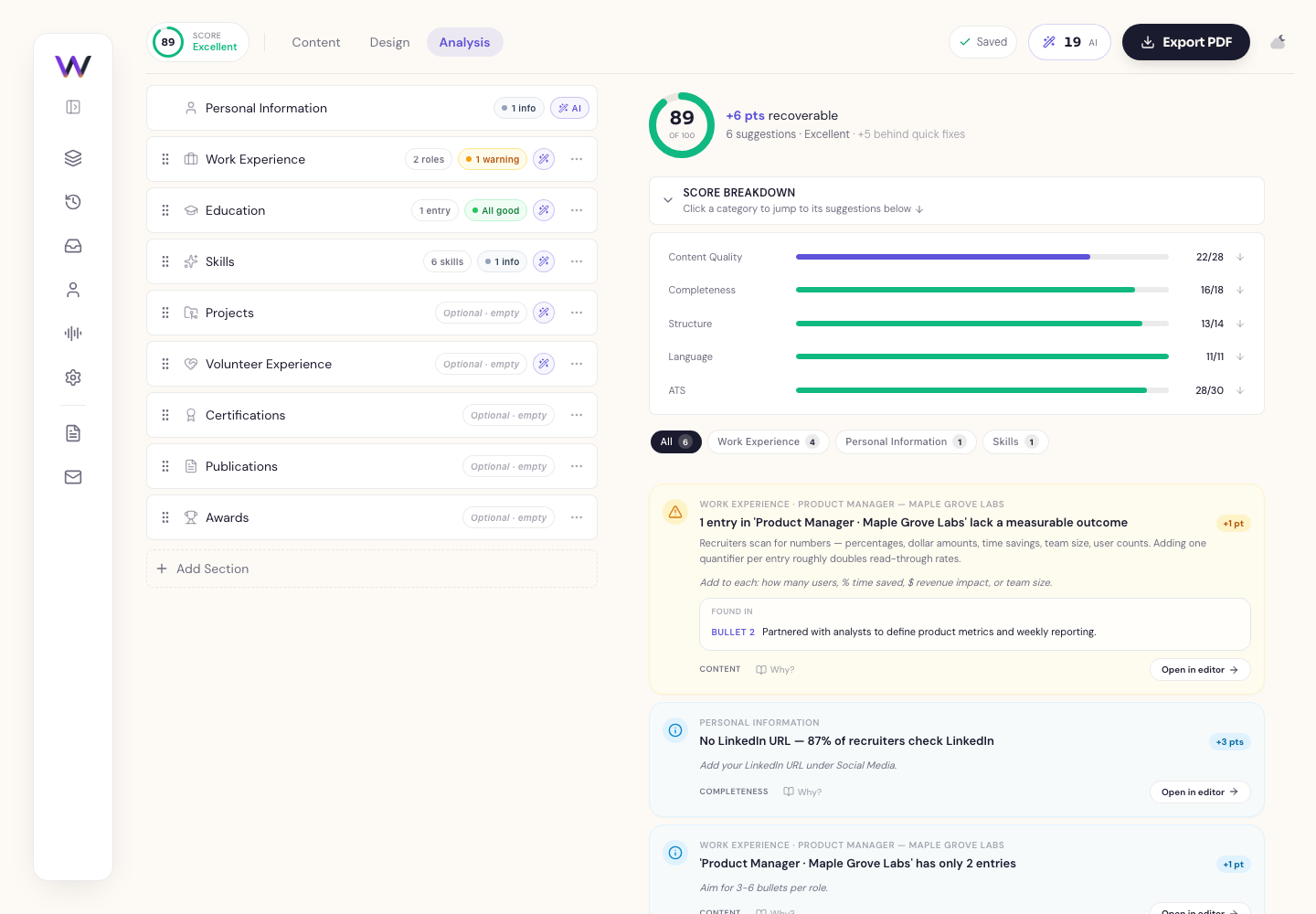
Wobo resume analysis: a score out of 100, a breakdown by category, and suggestions that open in the editor.
What Wobo’s AI does with your resume
The Analysis tab scores your resume out of 100 across five categories: content quality, completeness, structure, language, and ATS. Each suggestion names the section and the bullet it applies to, shows how many points it can recover, and opens that spot in the editor. In the example above, a product manager bullet is flagged for missing a measurable outcome, with a prompt to add users, time saved, revenue impact, or team size. In the editor, every section shows its own status, such as a warning or “All good”, and has its own AI button.
For bullets, the AI Bullet Suggestions dialog asks for a focus keyword: a responsibility, a tool you have used, or a skill. It also offers suggested keywords for the role you are editing, such as User Stories, A/B Testing, or Stakeholder Management. Select Generate and the AI writes tailored bullets that you can edit, regenerate, or rewrite. A Tailoring setting takes your target role and experience level (entry, mid, or senior) and tunes every AI suggestion to them.
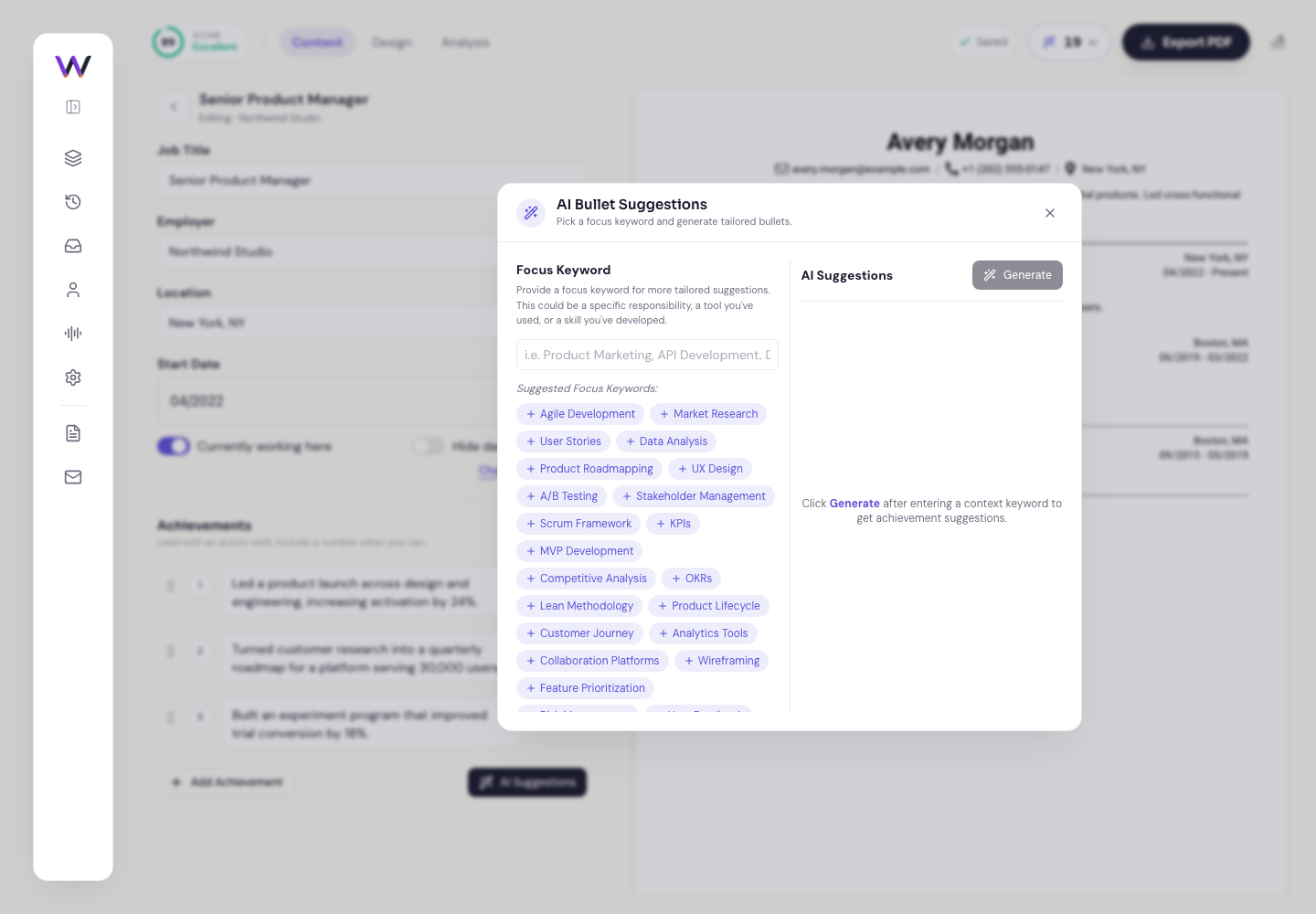
AI Bullet Suggestions: pick a focus keyword and generate tailored bullets.
What you can do with Wobo’s resume builder
| Your task | With Wobo |
|---|---|
| Edit content and compare layouts | Live preview with classic and modern ATS-friendly templates |
| Improve your wording | AI bullet suggestions from a focus keyword, and AI writing help personalized by your Wobo Persona |
| Check ATS readiness | A score out of 100 across content quality, completeness, structure, language, and ATS, with suggestions for each section |
| Download versions for applications | Unlimited free PDF downloads |
| Apply to jobs | An AI agent visits company career pages every day, finds the jobs that fit you best and applies on your behalf: free, 5 applications a day. With an upgrade, applications are unlimited and each one gets a resume and cover letter tailored to that job |
Pros
- Completely free builder with unlimited PDF downloads: revise and export as often as you need.
- The most comprehensive analysis in this list: a score out of 100 across 24+ criteria, with suggestions for each section.
- Personalized AI writing help: Wobo Persona learns your background, so suggestions sound like you.
- One workspace for the whole search: resume, cover letters, job matching, and applications work together.
- Free job applications: an AI agent visits company career pages every day, finds the jobs that fit you best and applies on your behalf, 5 a day on the free plan.
Cons
- A resume and cover letter tailored to each job need a paid plan.
Pricing: Free. The AI resume builder, unlimited PDF downloads, the AI cover letter generator, and daily job applications (5 a day) cost nothing. An upgrade adds unlimited applications plus AI-tailored documents: a resume and cover letter tailored to each job you apply to.
User ratings (checked November 14, 2026): Reviews.io 4.7/5; Trustpilot 4.5/5; iOS App Store 4.7/5.
Choose Wobo if you want professional results without upfront costs: a free resume builder with unlimited PDF downloads, AI help from the first draft, and an AI agent that applies to the jobs that fit you best, free. Build your resume with Wobo free.
Rezi
#2: Best one-time purchase (lifetime plan). Rezi centers the workflow on writing a resume and comparing its wording with a target job. Its writing tools use inputs such as your job title, company, and existing bullet text; keyword targeting also uses the job description. Its free plan includes AI writing and editing, while Pro expands resume, download, and analysis access. That makes the free tier useful for evaluating one document, but its limits matter if you expect to create many versions.
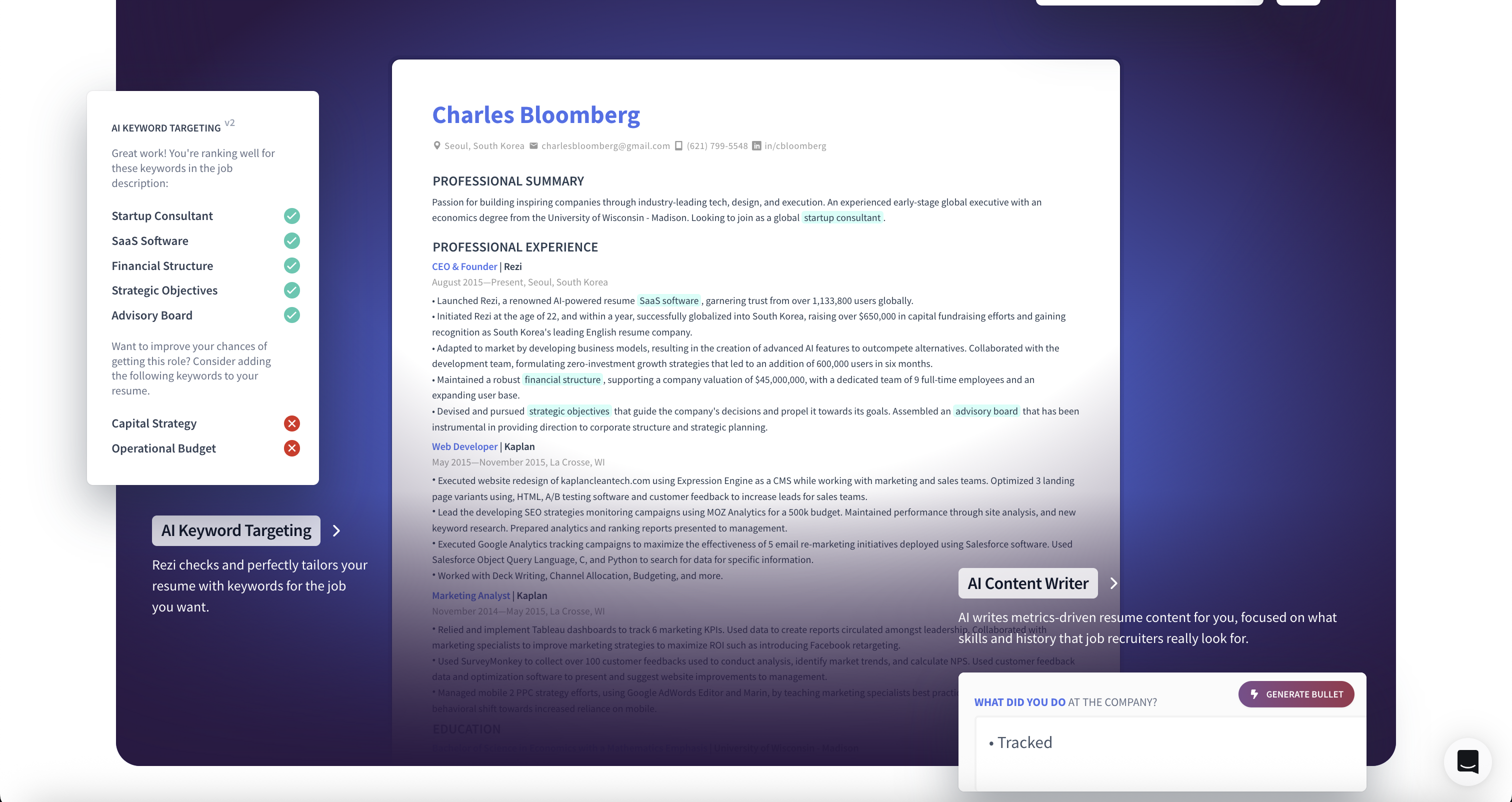
Rezi keyword-targeting and writing tools. Small interface text is easier to inspect in the full-size Rezi product preview hosted by Wobo.
Pros
- Resume writing and keyword targeting are brought together in a focused workflow.
- You can start with one resume and three PDF downloads before paying.
- The $149 lifetime option gives buyers an alternative to the $29/month Pro subscription; Rezi's pricing page offers a 30-day money-back guarantee on both.
Cons and limitations
- Free access is limited to one resume and three PDF downloads. DOCX requires Pro or Lifetime and a template that supports that format.
- A suggested keyword still needs evidence in your own experience; a higher score is not a reason to add a qualification you lack.
- The one-time option has a larger upfront cost, so compare it with the period you actually expect to use the tool.
Choose Rezi if you want focused resume and keyword work. If version limits would interrupt your search, compare the paid plan with a builder that offers unlimited free PDF downloads. Our Rezi review examines the product in more detail.
Teal
#3: Best for tracking many applications. Teal combines a resume builder with a job tracker. It supports importing a resume, creating versions, comparing content with a job description, and exporting PDFs. Its bullet tools can use existing text, role titles, a connected job description, or a custom prompt. The “Coach Me” option helps identify tasks and impact; the generated details still need your review.
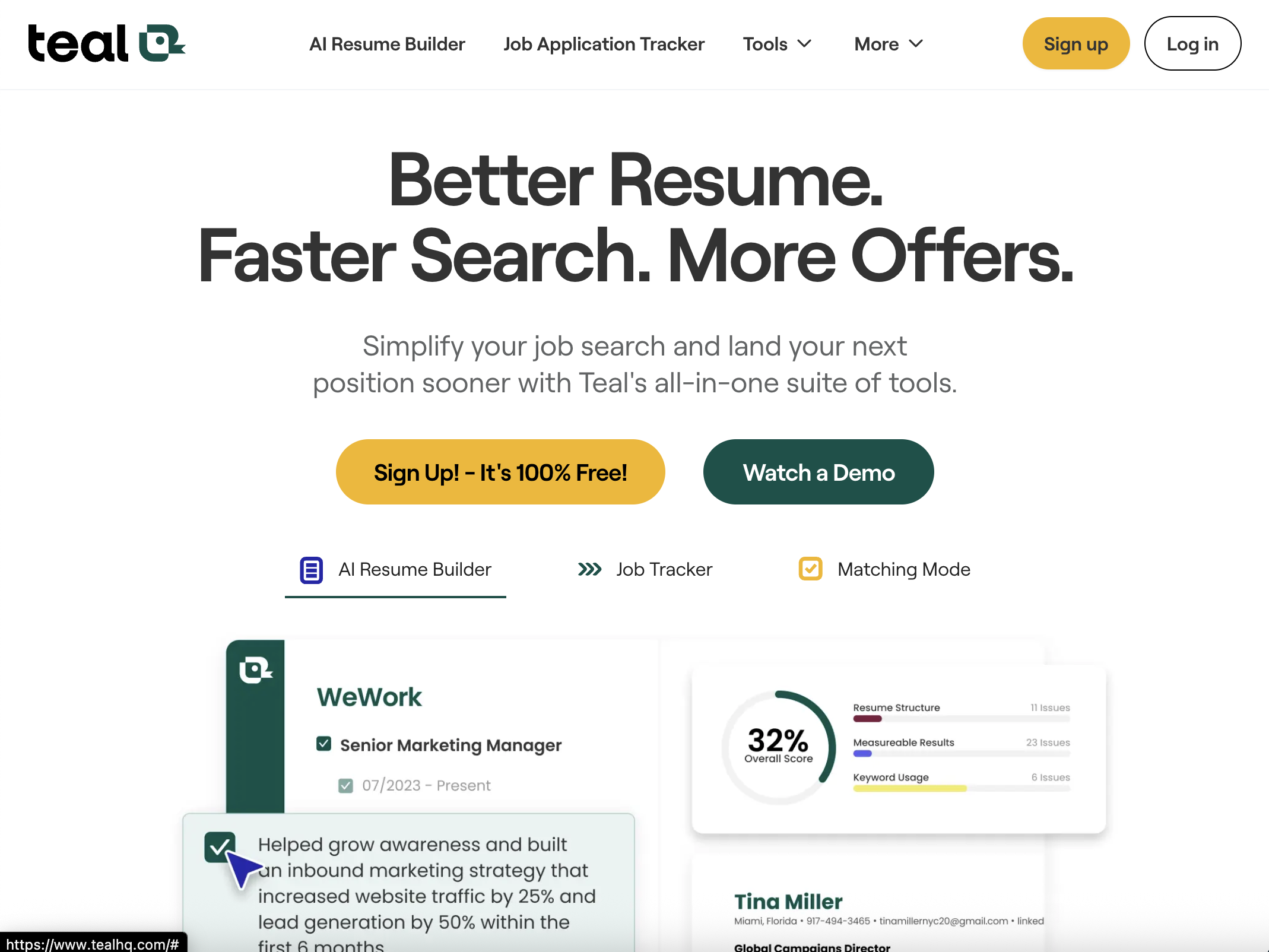
Teal resume builder preview.
Pros
- Unlimited free resumes support maintaining versions for different roles.
- The job tracker keeps opportunities and application notes near the resume workflow.
- The free and paid feature lists distinguish basic access from expanded AI and analysis.
Cons and limitations
- Free includes five AI credits for bullets, two for summaries, and two for cover letters; unlimited resumes do not mean unlimited AI or analysis.
- Teal+ renews on the selected 7-, 30-, or 90-day period: $13, $29, or $79 respectively. Compare the full billing period, not just the smallest displayed amount.
- Teal’s export help explicitly documents PDF only; Word/DOCX export is not currently offered in that workflow.
User ratings (checked November 14, 2026): Trustpilot 4.3/5; Chrome Web Store 4.7/5 for the Teal job search extension.
Choose Teal if your main difficulty is organizing several resume versions and applications. Keep a record of the version you submit so later edits do not erase your interview preparation context. See our Teal review for a fuller workflow discussion.
Jobscan
#4: Best for ATS keyword gap checks. Jobscan combines a builder with separate resume-to-job analysis. You can upload a resume, import LinkedIn content, or start blank. Its AI Resume Coach asks questions about your experience and turns your answers into editable suggestions. Document creation and paid match analysis are separate features with different costs.
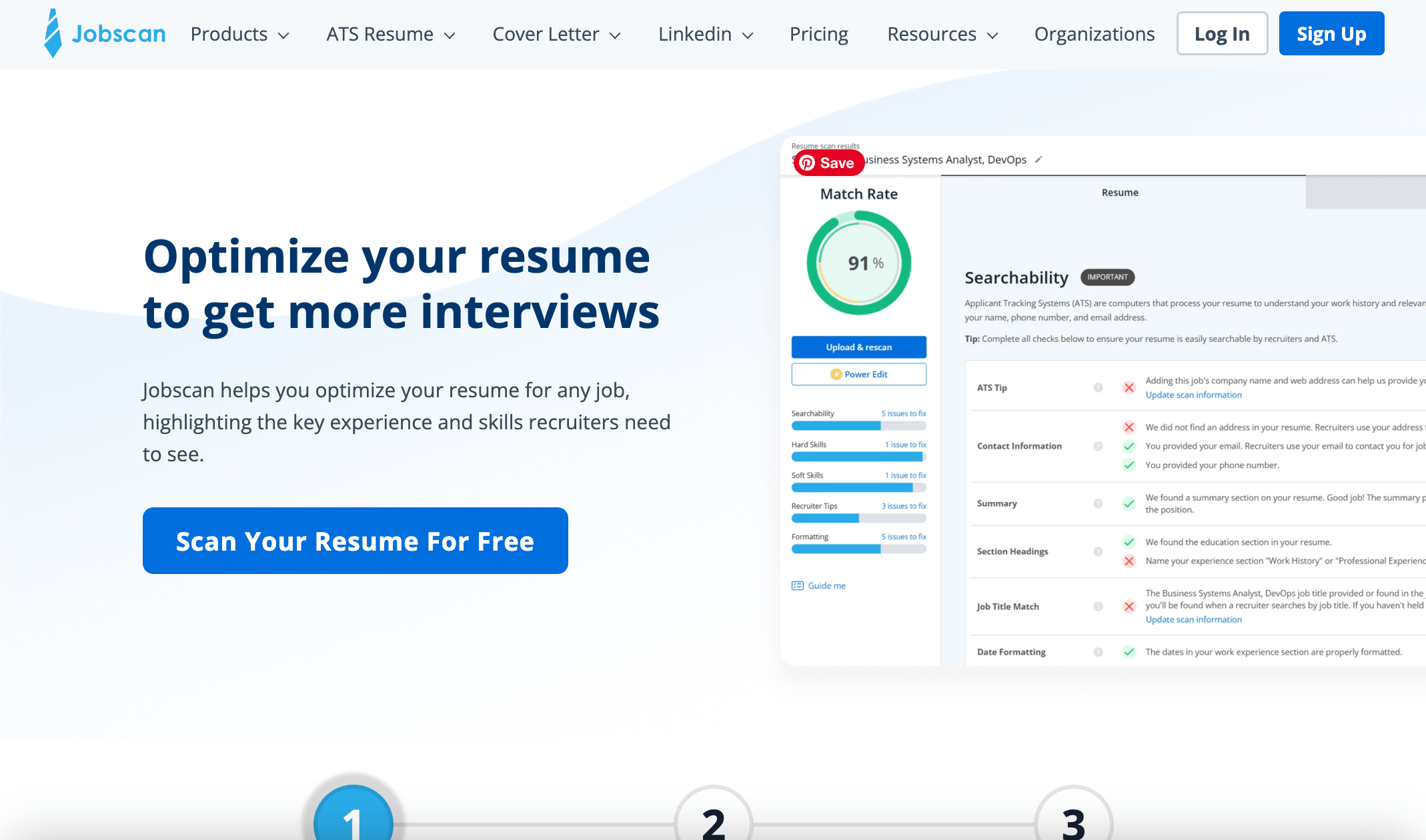
Jobscan resume-to-job match report.
Pros
- The resume builder is on the free plan, alongside five resume scans a month, so building a resume does not require Premium.
- Resume-to-job comparison can help you notice relevant terminology or experience missing from a draft.
- Guided questions offer another starting point when you cannot yet describe your achievements in polished bullets.
Cons and limitations
- Premium analysis is a separate expense: $49.95/month or $89.95 billed every three months in the checked offer.
- Free AI coaching covers your most recent work experience; broader coaching and advanced generation require a trial or Premium. The quarterly plan includes a seven-day free trial; the monthly plan has none.
- A match report is feedback from Jobscan, not a simulation of every employer's software or hiring process.
User ratings (checked November 14, 2026): Trustpilot 4.3/5; Chrome Web Store 4.3/5.
Choose Jobscan if you want to diagnose a specific resume against a specific job. Use suggested terms to uncover evidence you omitted, rather than adding every keyword. Our Jobscan review discusses that distinction.
Kickresume
#5: AI writing with coordinated resume and cover-letter designs. Kickresume combines writing assistance with resume and cover-letter templates. It is worth comparing when coordinated documents and design choice matter alongside the wording. Its initial AI draft can start from your name and latest job title, so you need to replace generic suggestions with your actual experience. Basic templates and downloads are free; Premium expands AI and customization.
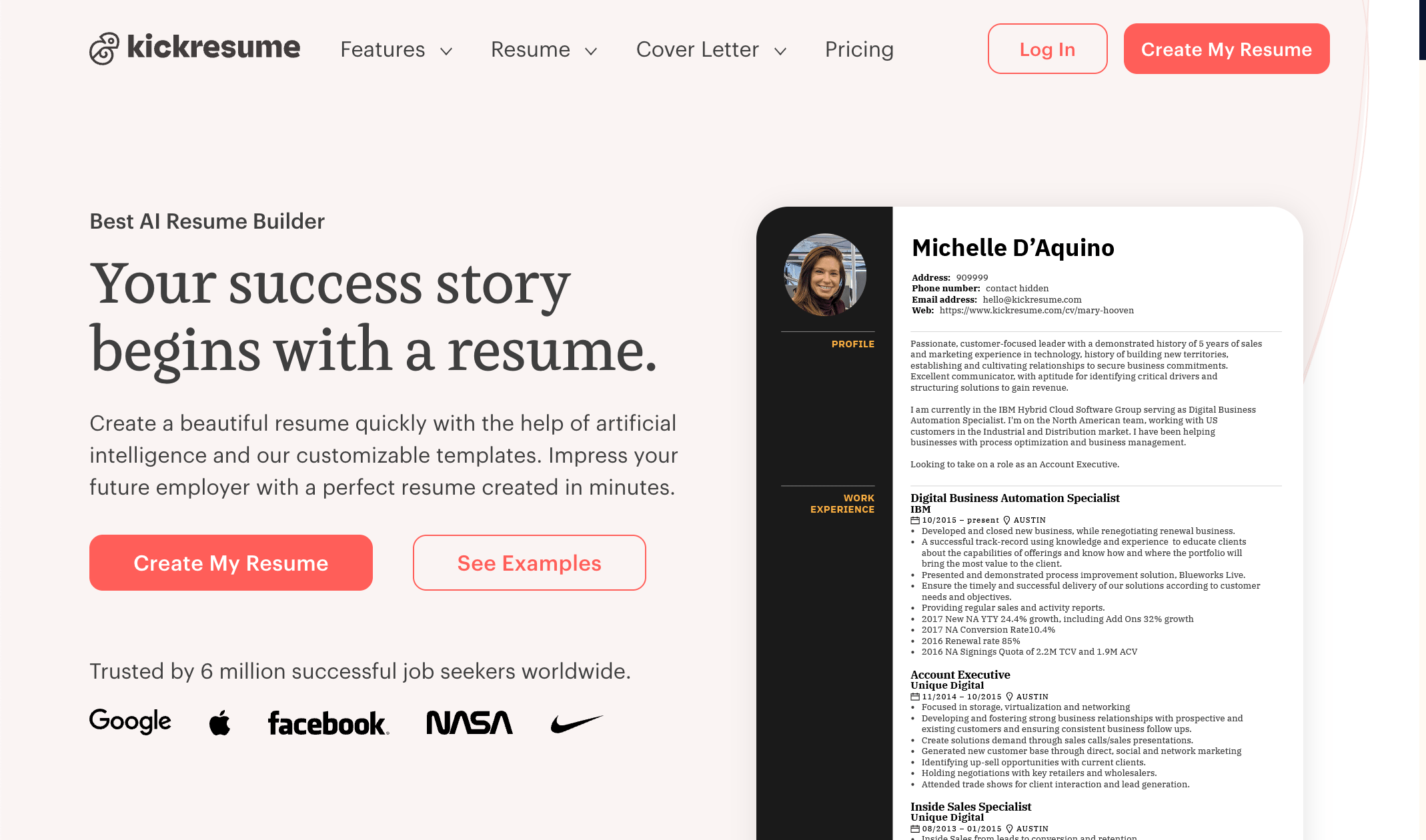
Kickresume sample resume design.
Pros
- Resume and cover-letter designs can be considered together instead of assembling two unrelated documents.
- With free customization options, downloads are unlimited. Available formats include PDF and a text-only Word (.doc) file.
- Monthly, quarterly, and annual billing give users different commitment lengths.
Cons and limitations
- Free AI access includes one complete AI resume or bullet generation across experience sections, according to Kickresume’s guide; additional AI usage requires Premium.
- The annual $8/month equivalent requires $96 paid for the year; it is not an $8 monthly subscription. The other checked options are $24 monthly or $54 every three months.
- The .doc export contains plain text rather than the designed layout. Choose PDF to preserve the design; Premium customization can require an upgrade.
User ratings (checked November 14, 2026): Trustpilot 4.6/5.
Choose Kickresume if you want AI writing and coordinated document design. Before subscribing, put a representative section of your own resume into the layout and check the exported page breaks; a visually appealing thumbnail is not enough to judge that.
Enhancv
#6: A PDF-only builder with a seven-day free plan. Enhancv combines content editing with control over the finished resume's presentation. You can begin with a PDF/DOCX upload, a LinkedIn URL, an example, or fresh content, then use AI rewriting and job-description matching. Importing a Word document does not mean the finished design can be exported as Word.
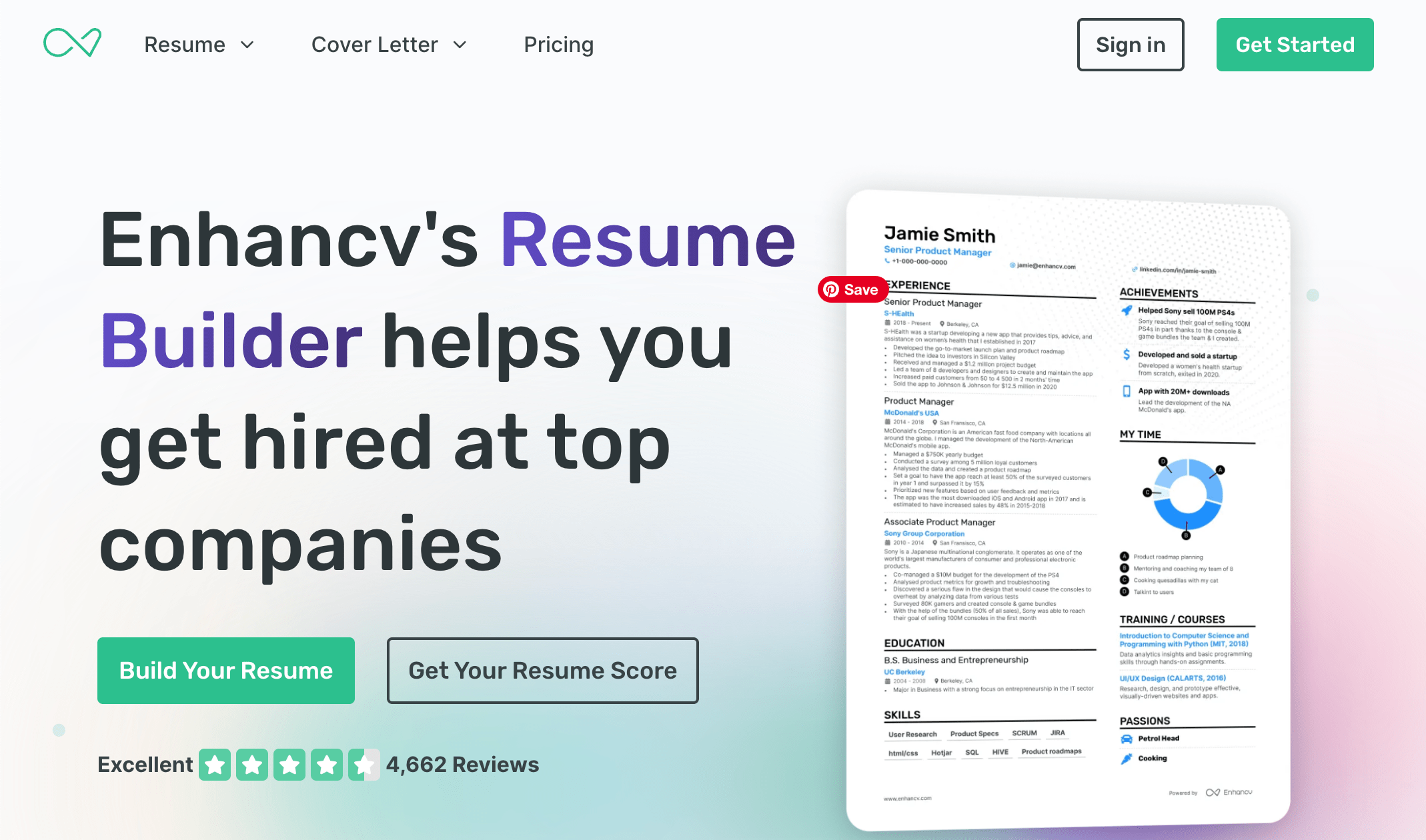
Enhancv resume design preview.
Pros
- Content assistance and document design sit together rather than requiring separate writing and layout tools.
- The free plan provides a short opportunity to inspect templates and design controls.
- You can export a branded PDF during the seven-day free plan; Word/DOCX export is not offered.
Cons and limitations
- The free plan lasts seven days and includes Enhancv branding and a maximum of 12 section items; it is not unrestricted permanent access.
- Enhancv’s pricing page showed Pro at $69 every three months on November 14, 2026; its monthly and six-month prices did not display, and prices vary by country. Check the offer available in your country before subscribing.
- Confirm the local checkout total and renewal period. AI rewrites also need a factual review, especially for impact, seniority, or technical terminology.
User ratings (checked November 14, 2026): Trustpilot 4.6/5.
Choose Enhancv if you want to refine both content and visual presentation. Use the free period to check whether your actual section count and preferred layout fit, rather than assuming that a sample resume represents your final document.
Zety
#7: Guided resume writing; PDF and Word downloads are paid and renew at $25.95 every four weeks. Zety offers guided resume writing with a clear distinction between creating a document and exporting a formatted file. You can import an existing resume or enter information through guided sections and edit suggested content. Its free option supports unlimited resumes with TXT output; PDF and Word downloads are paid. That difference can decide the purchase before the quality of a template becomes relevant.
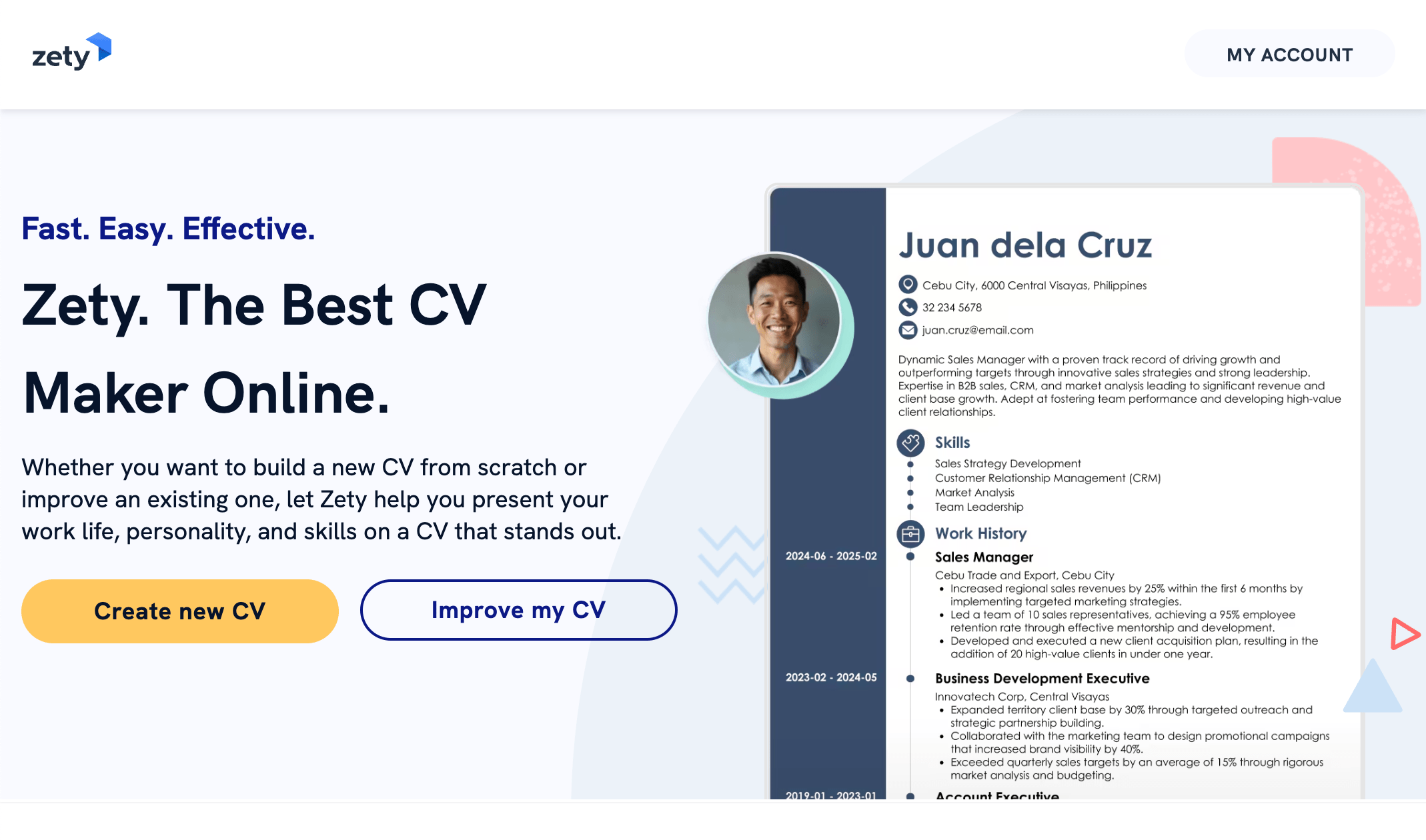
Zety guided resume builder.
Pros
- Guided content prompts can help you organize an incomplete draft into resume sections.
- Paid PDF and Word downloads cover two common document-format requirements.
- Free TXT output provides a way to keep the text without buying a formatted download.
Cons and limitations
- The free export is plain text, so it does not preserve the designed PDF or Word layout.
- The checked introductory offer costs $1.95 for 14 days, then renews at $25.95 every four weeks unless cancelled under its terms.
- Four-week billing is not calendar-month billing; the annual alternative is $71.40 charged at once.
User ratings (checked November 14, 2026): Trustpilot 4.4/5.
Choose Zety if you want guided writing and are prepared to pay for a formatted export, especially when Word output is important. Check the renewal date before beginning a short-term project and save the checkout terms for your records.
ChatGPT
#8: A general chatbot for rewording and drafting; you lay out the file yourself. ChatGPT is OpenAI’s general-purpose chatbot, not a resume builder. We used it as a guest, without an account, with a test persona’s notes and a real job posting. It wrote a full first draft in about 7 seconds and kept every employer, date, and number we gave it. Asked for a Word or PDF file, it returned text to paste into Word or Google Docs.
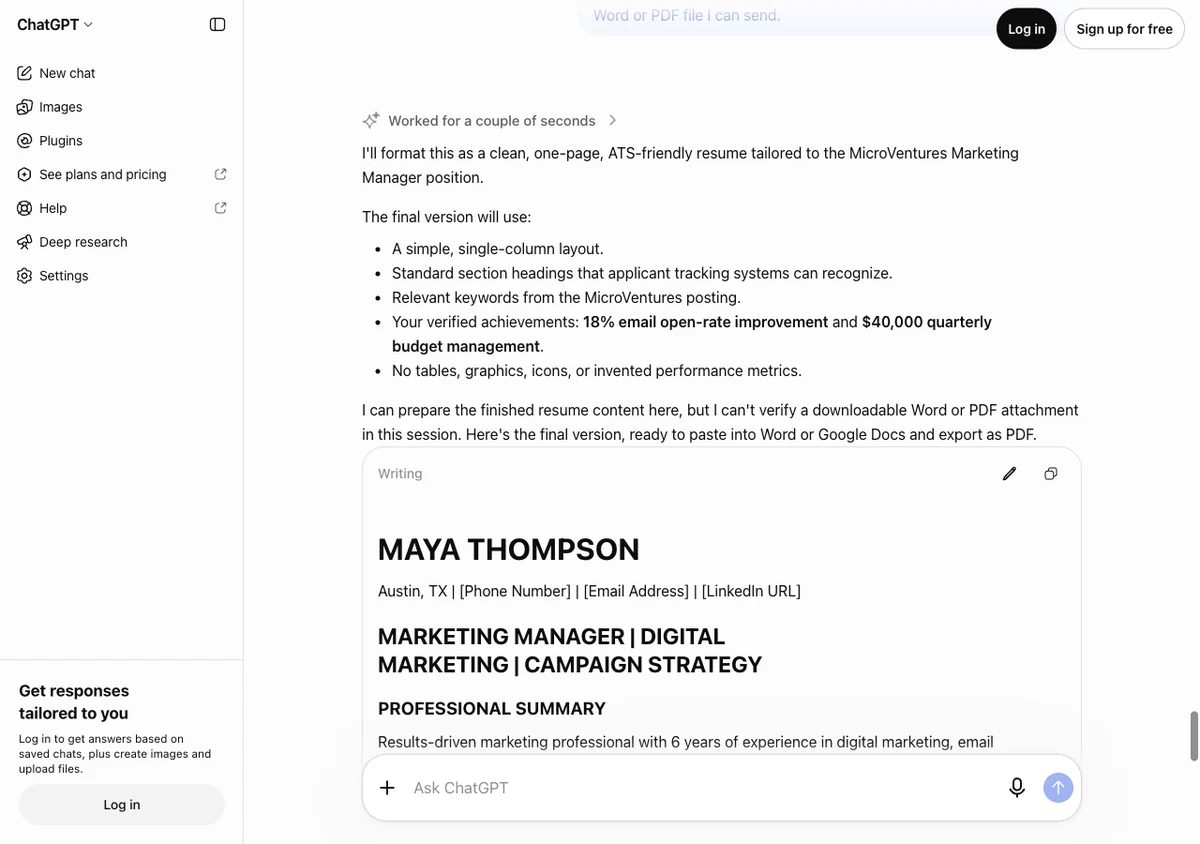
ChatGPT’s answer to a request for a Word or PDF file, November 14, 2026.
Pros
- Free with no account; every answer arrived in 6 to 17 seconds.
- No invented employers or numbers in eight answers, and it declined to fill in “realistic” figures.
- Its recruiter-style review named three weaknesses and gave a nine-row scorecard.
Cons and limitations
- Tailoring was thin: the tailored resume fully covered 3 of the posting’s 13 requirements.
- No templates or file in a guest session, and an ad under six of its eight answers.
Pricing (checked November 14, 2026): Free costs nothing; Go is $8/month, Plus $20/month, and Pro from $100/month.
User ratings (checked November 14, 2026): Trustpilot 1.6/5, on an unclaimed profile about ChatGPT in general.
Our rating: 3.2/5 in our ChatGPT resume review.
Choose ChatGPT if you already have a resume layout and want free help with the wording. Put your real numbers in the first prompt and turn off “Improve the model for everyone” in Settings.
Resume Now
#9: A guided builder with AI suggestions; Full Access renews at $23.95 every four weeks. Resume Now, a BOLD brand like Zety, walks you through seven builder sections with a job-specific phrase library and AI rewriting. As a guest, without an account, we took our test persona to a finished resume in about 11 minutes, and the summary step used both of her real results. The free plan downloads plain text (TXT) only, and every download option asked us to create a login first.
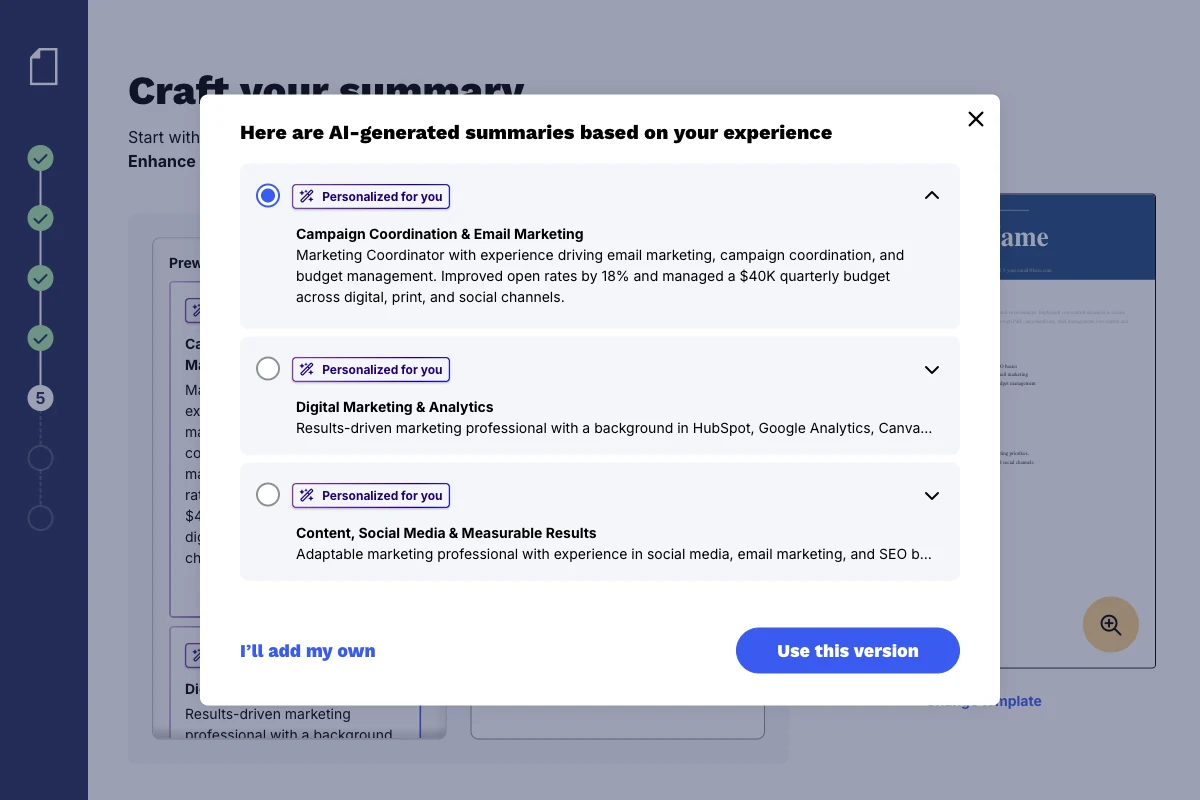
Resume Now’s AI summary step, November 14, 2026.
Pros
- 76 pre-written phrases for “Marketing Coordinator”, the first eight already naming the persona’s employer.
- The AI rewriter offered three versions within ten seconds and kept the 18% and $40k figures.
- 35 resume templates with nine colour choices, switchable later without losing content.
Cons and limitations
- Even the free TXT file asked for a login; PDF and Word need paid Full Access.
- The cover letter draft kept placeholders such as [Target Job Title].
Pricing (checked November 14, 2026): 14-Day Full Access costs $2.45, then auto-renews at $23.95 every 4 weeks ($311.35 a year); Annual Access is $70.20 paid at once. The terms allow a refund only if you cancel before the 14 days end.
User ratings (checked November 14, 2026): Trustpilot 4.5/5.
Our rating: 2.7/5 in our Resume Now review.
Choose Resume Now if you need one polished resume this week: finish it, pay for the 14 days, download every format, and cancel the same day.
Resume.io
#10: A template-focused builder; paid access renews at $29.95 every four weeks. Resume.io, owned by Talent Inc. since 2021, offers 35 resume designs in its picker, 16 with DOCX as well as PDF. We opened the builder as a guest, without an account. Its first screen requires an email, and typing one creates your account; work history, AI suggestions, and downloads come after that step. The free plan downloads TXT, plus PDF on four templates marked Free.
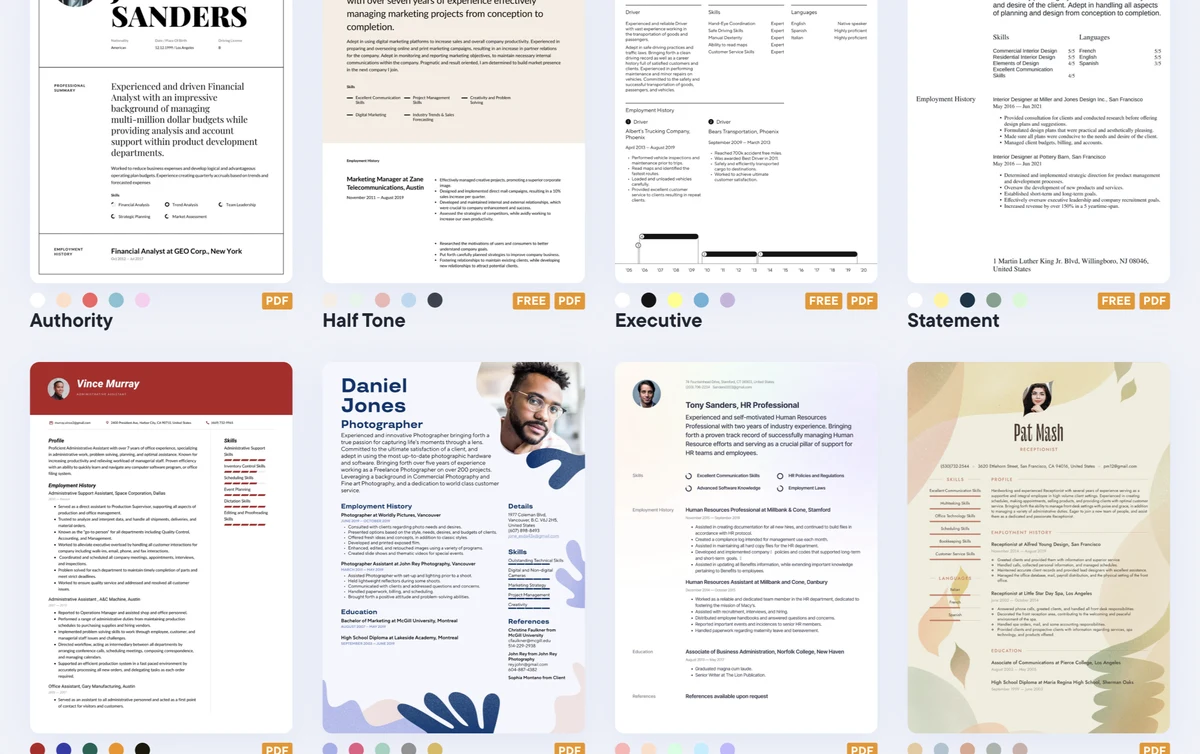
Resume.io template gallery, November 14, 2026.
Pros
- Classic, Professional, and Prime ATS look like documents a recruiter expects.
- Four templates carry a FREE badge and download as PDF.
- The live preview updated as we typed.
Cons and limitations
- The Next button stays locked until you enter an email, three screens from the home page.
- The page size defaulted to A4, not US Letter, even with United States entered.
Pricing (checked November 14, 2026): Free gives one resume and one cover letter. The 7-day trial costs $2.95, then auto-renews at $29.95 every 4 weeks ($389.35 a year); the quarterly plan is $49.95 every 3 months. Both paid plans carry a 7-day money-back guarantee on the pricing page.
User ratings (checked November 14, 2026): Trustpilot 4.2/5.
Our rating: 2.6/5 in our Resume.io review.
Choose Resume.io if design matters most: pick a Free template, or take the quarterly plan if you need more than a month, and cancel through the public form the day you download.
Two more builders we reviewed on November 14, 2026: MyPerfectResume, from the same owner as Resume Now and Zety, pairs a guided builder with a free ATS checker; its free plan downloads TXT only, and its $2.95 trial renews at $23.95 every 4 weeks (checked November 14, 2026). Resume Genius offers free Word and Google Docs templates, while its builder’s $2.95 trial renews at $23.95 every four weeks (checked November 14, 2026).
Use this small comparison exercise before subscribing
The useful question is not which homepage promises the highest ATS score. It is which tool helps you turn your actual experience into a better document with the least cleanup. Try the same small task in the tools you are considering:
- Start with one real job posting and one verified work example. Use the same inputs in each tool. Remove confidential employer or customer information.
- Ask for one improved bullet. Require the tool to keep your role, dates, and contribution accurate. Tell it to ask for missing results instead of inventing them.
- Inspect every change. Mark unsupported numbers, new tools, inflated seniority, and claims that turn a team result into your individual achievement.
- Export a sample. Check page breaks, contact details, clickable links, and whether text can be selected and copied in a sensible order.
- Check the cost of the document you need. Include the export format, AI allowance, full billing period, and renewal amount.
Record “usable as written,” “needs factual correction,” or “cannot export as required” for each tool.
What step 3 looks for: an invented result
Example: imagine an applicant whose verified notes say they maintained a support queue, wrote troubleshooting instructions, and helped new colleagues learn the escalation process. No measured time saving or customer-satisfaction result is available.
| Version | Bullet | Why it matters |
|---|---|---|
| Vague draft | Responsible for customer support and team tasks. | Does not explain the work. |
| Unsupported rewrite | Transformed support operations, cutting response times by 40%. | Adds a result the applicant cannot substantiate. |
| Evidence-based rewrite | Maintained the customer-support queue, documented troubleshooting steps, and helped new colleagues follow the escalation process. | Names the work and contribution without inventing impact. |
A tool whose rewrites look like the second row will need more correction from you than one whose rewrites look like the third.
Which AI resume builder should you pick?
- Writing a resume and continuing into job applications: start with Wobo's free builder, AI writing help, and unlimited PDF downloads, then let Wobo's AI agent visit company career pages every day, find the jobs that fit you best and apply on your behalf, free for 5 applications a day.
- Editing one resume around a target role's terminology: compare Rezi; check the free resume and download limits before maintaining multiple versions.
- Keeping many resume versions and application notes together: compare Teal's free resumes and tracker before paying for extra AI access.
- Diagnosing a draft against one particular posting: compare Jobscan's analysis, while keeping its match score separate from an employer's hiring decision.
- Coordinating resume and cover-letter designs: compare Kickresume's free templates and Premium allowance, including the full billing commitment.
- Working on wording and presentation in one editor: inspect Enhancv during its limited free period and confirm the paid amount before subscribing.
- Needing a paid Word export with guided writing: compare Zety, with particular attention to the introductory price and four-week renewal.
- Rewording bullets or drafting a summary for free: use ChatGPT, then paste the text into a layout you already have; a guest session gives text, not a file.
- A guided builder with AI suggestions for one resume this week: compare Resume Now, and cancel inside the 14 days before the $23.95 four-week renewal.
- Template design above everything else: compare Resume.io’s Free templates, or its quarterly plan rather than the $2.95 trial if you need more than a month.
If a posting specifies a file type, that requirement comes before a builder's score or design. If two tools meet it, try the same verified work example in each and compare the factual corrections and export cleanup you need to make.
Free builder, AI writer, or general chatbot?
A builder is most useful when you need repeatable layout, structured sections, and document export. A general writing assistant can help question or rewrite a paragraph, but you still need to check the facts and assemble the final document. Neither approach removes the need to understand the job.
If your existing resume already has a clean layout, you may only need targeted editing. If you keep fighting page breaks or maintaining several versions by hand, a builder can be more useful. If you cannot explain your contribution clearly, start by collecting examples from your work before asking any AI to summarize it.
✨ Build a Resume That Gets Interviews
AI analyzes 24 ATS criteria · Tailors your resume to each job · Free forever
Build My Resume Free →★ 4.7/5 on Reviews.io
What “ATS-friendly” should mean in practice
Focus on a readable file, recognizable sections, and relevant qualifications you can support. Follow the employer’s file instructions, check imported application fields, and correct any parsing mistakes. Do not treat a builder’s score as a universal pass mark or a promised interview.
Our ATS resume optimization guide explains the checks to make before submitting.
Frequently Asked Questions
Which AI resume builder is best for free downloads?
Wobo offers unlimited free PDF downloads and free AI writing help to write and refine your resume. Kickresume's pricing page says free users can download their resume as many times as they want; its free formats include PDF and a text-only Word (.doc) file. Rezi's free plan includes three PDF downloads, Zety's free plan exports TXT only, and Enhancv's seven-day free plan exports a PDF with Enhancv branding. Teal and Jobscan also include a free resume builder. Resume Now’s free plan downloads TXT only, Resume.io’s free plan downloads TXT plus PDF on four templates marked Free, and ChatGPT used without an account gives text to paste rather than a file. Competitor download terms checked November 14, 2026. Choose a tool that supports the file format your application requires.
Can an AI resume builder guarantee that I pass an ATS?
No. A builder can help with formatting and wording, but it does not control an employer’s questions, filters, recruiter searches, or hiring decisions. Review the final document and the fields populated by the application form.
Should I pay monthly or annually?
Compare the amount charged today with how long you expect to need the tool. An annual equivalent can look cheaper while requiring more cash upfront. Check renewal timing and cancellation terms before choosing a plan.
What should I do after generating a resume?
Verify every fact, remove generic claims, read the exported document, and save the version you actually send. Then write a complementary letter where requested; our AI cover-letter editing comparison separates drafting, editing, and document-formatting tools.
Start with Wobo’s free AI resume builder: turn your experience into a scored, AI-improved resume, download as many PDFs as you need, and let Wobo’s AI agent visit company career pages every day and apply on your behalf to the jobs that fit you best, free for 5 applications a day.

Build a Resume That Gets Interviews
- ✓AI scores your resume on 24 ATS criteria
- ✓Tailors it to each job with one click
- ✓Unlimited resumes — free forever